
A business phone number
Foundation and higher plans come with a US business number for calls and texts. Personal has no business number.
Eve and Adam, two AI agents, answer your business number around the clock. They speak from your own services, prices and hours, book into your real open times, answer texts and take a message when they need you.

For Android phones and tablets. The iPhone and iPad version isn’t on the App Store yet.
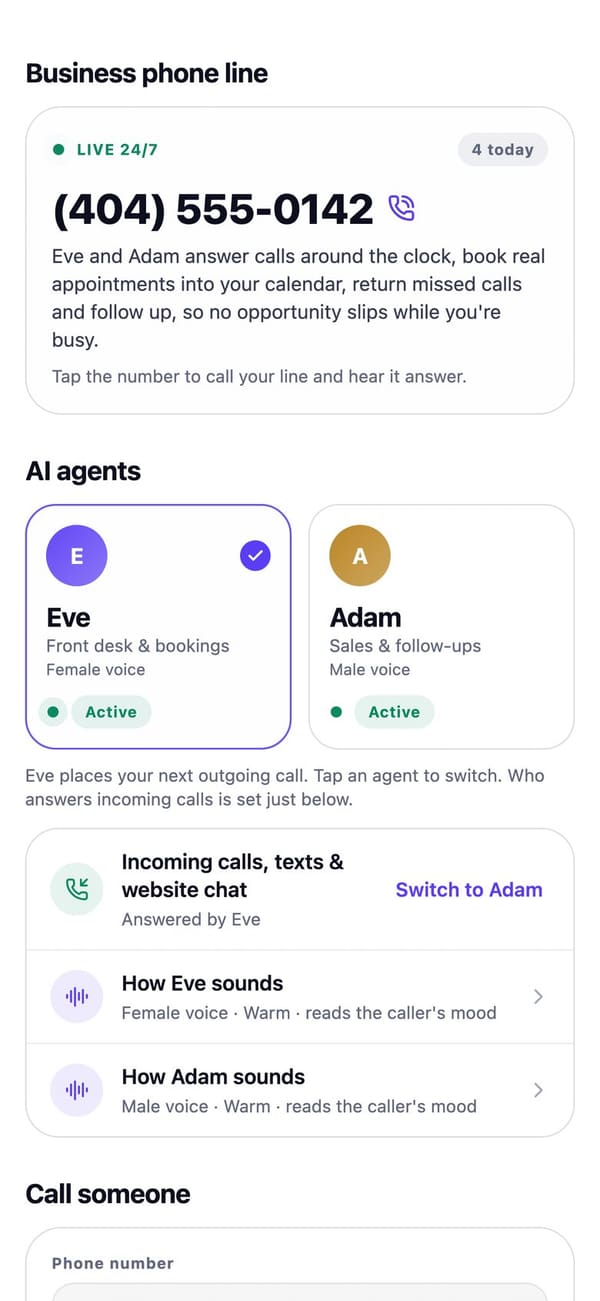
Real RaimCalls screens with a made-up sample business. Your screens show your own business, and layouts can differ slightly between app versions.
Your number, answered
A US business number comes with Foundation and higher plans. Personal has no business line.
Foundation and higher plans come with a US business number for calls and texts. Personal has no business number.
Two AI agents, Eve and Adam, answer your business line around the clock, reply to texts and book appointments. Both say they are AI and never pretend to be you.
They speak from your services, prices, hours, FAQs and policies, and answer only from what you add. A setup checklist shows what's still missing.
Eve and Adam book callers only into your real open times.
Forward the number customers already know to your RaimCalls number with your carrier's code, then run a test call to confirm it works.
Place a short test call to your own phone to hear how your line will be answered.
Routing
Have calls ring your phone first, or ring you only when you're open. Press 1 to take the call; if you don't, your AI answers. Add holidays, or switch on Closed today.
Learn more about Hours and call routingPeople you always want to hear from skip the spam screen and ring your phone first, at any hour. You hear their name before you press 1.
Up to 6 options like Sales, Service or a person. Callers press 1, 2 or 3; the person you ring presses 1 to take the call, or your assistant takes a message.
Learn more about Department menuYour AI takes the caller's name, callback number, what it's about and how urgent it is. An urgent message also sends you a notification.
A spam shield, plus the numbers you've blocked, in one place.
Bookings
By call or text, your AI finds the appointment only by the number they're calling or texting from, reads it back, and changes it only after they say yes.
Learn more about Callers move or cancel their own bookingAdd up to 8 questions to a service. Your AI asks them before booking, and the answers are saved on the appointment and the customer's card.
When no time suits a caller, your AI can add them to the waitlist with their permission to text. When a time opens, the earliest match gets one text and the first YES books it.
Learn more about WaitlistSet a deposit on a service. After booking, your AI asks if it may text a secure payment link. Card details are never taken on the phone. Needs Get paid connected.
Learn more about Deposits by text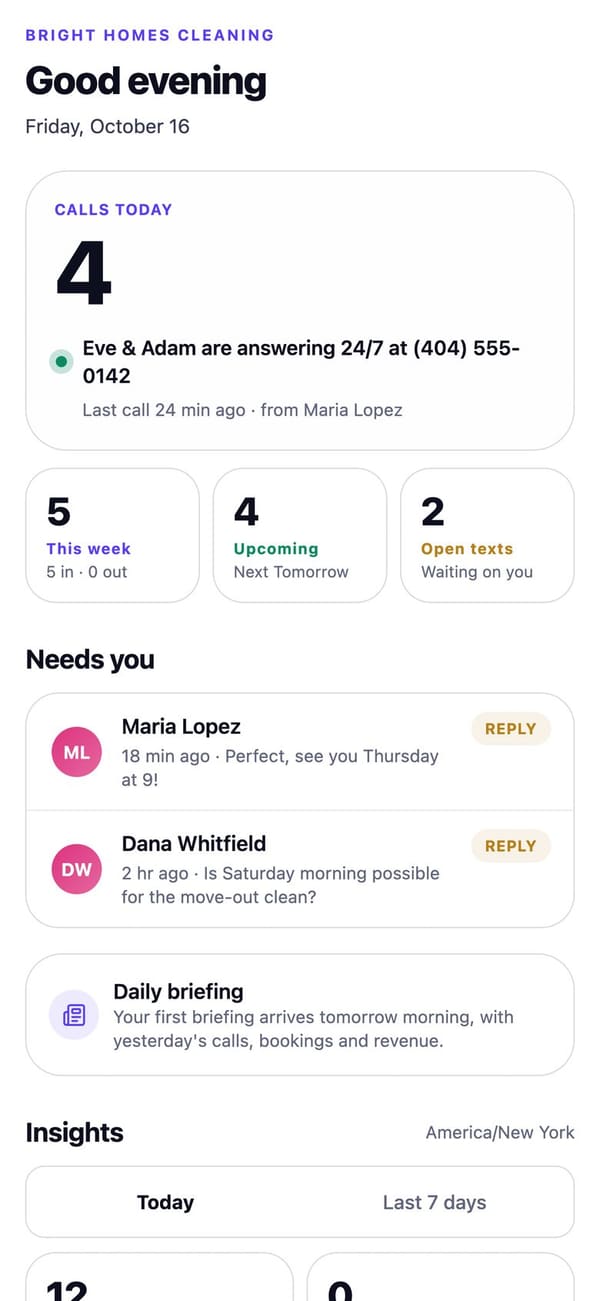
Real RaimCalls screens with a made-up sample business. Your screens show your own business, and layouts can differ slightly between app versions.
Voicemail and records
Let callers leave a voicemail always, after hours, or when your assistant can't help, with your assistant's greeting or your own. Each one is transcribed and summarized.
Learn more about VoicemailEvery recorded call starts with “This call is recorded and transcribed”. Keep recordings for 30 days, 90 days or a year.
Your AI's calls are transcribed and summarized so you can read them. No audio is kept unless you turn on recording or voicemail.
See what callers asked that your AI couldn't answer, and approve the texts that follow a call before they go.
Texts
When a customer texts your business number, your AI can reply, book, move or cancel their own appointment, take a message and offer the waitlist. Turn it off any time; it stays quiet for 30 minutes after you reply yourself.
Learn more about Your AI answers textsCustomers who reply STOP stop getting automated texts from your business straight away. HELP always works too.
Add a chat bubble to your website. Your AI answers and books there too.
More
Label extra business numbers by where you advertise them and see calls, bookings and paid revenue by source.
Reign includes 30 minutes a month of calls in your own cloned voice and Legacy about 40. Your AI still says it's an AI, and can book and take messages in your voice too.
Choose the language your calls open in.
Set your country for local number formats, your time zone and your currency: the US, Canada, the UK, Nigeria, Ghana, Kenya or South Africa. Your RaimCalls business number is a US number.
Keep your number? Follow the guide: how to forward your business number to RaimCalls.
Tools
Your AI answers texts and website chat.
See how it worksBooks callers into your real open times.
See how it worksReply C to confirm, R to reschedule.
See how it worksTranscribed voicemail, recording off by default.
See how it worksRing you first, VIPs any hour, messages if not.
See how it worksPress 1 for Sales, 2 for Service.
See how it worksThe first YES takes a cancellation.
See how it worksSee which ads bring calls and bookings.
See how it worksFAQ
You need a RaimCalls business number so Eve and Adam can answer, which comes with Foundation and higher plans. You can keep the number customers already know by forwarding it to your business number with your carrier's code, then run a test call to confirm it works.
Yes. Under Hours & call routing choose Ring my phone first, or Ring me when open. Press 1 to take the call; if you don't, the AI answers.
Add them as VIP callers. A VIP's call skips the spam screen and rings the phone you set first, at any hour and on holidays. You hear “Your VIP caller” and their name before you press 1, and if you don't pick up, your AI answers as usual.
Yes, on a call or by text. Your AI looks the appointment up by the number they're calling or texting from, never by a name, reads the day and time back and changes it only after they say yes. Your calendar updates and you're notified.
Yes, if you turn it on: always, only after hours, or when your assistant can't help. Each voicemail is up to 2 minutes, is transcribed and summarized, and uses your plan's voice minutes for its length.
Only if you turn on call recording or voicemail. Otherwise your AI's calls are transcribed and summarized, and no audio is kept. Every recorded call starts with “This call is recorded and transcribed” before anyone speaks.
Yes, unless you turn it off in Settings › Your AI answers texts. When you reply to a customer yourself, your AI stays quiet on that conversation for 30 minutes. STOP and HELP always work, and each AI reply uses one AI text from your plan.
You can set your country to Canada, the UK, Nigeria, Ghana, Kenya or South Africa for local number formats, your time zone and your currency. Your RaimCalls business number is a US number, and calls and texts to other countries use more of your plan because they cost more.

The future picks up.
Let your AI take the calls you'd rather not make, while your business line, your admin and your people stay one tap away.
For Android phones and tablets. The iPhone and iPad version isn’t on the App Store yet.
Plans from $9.99 a month. Answering an app call is always free. See plans and pricing.