
Today
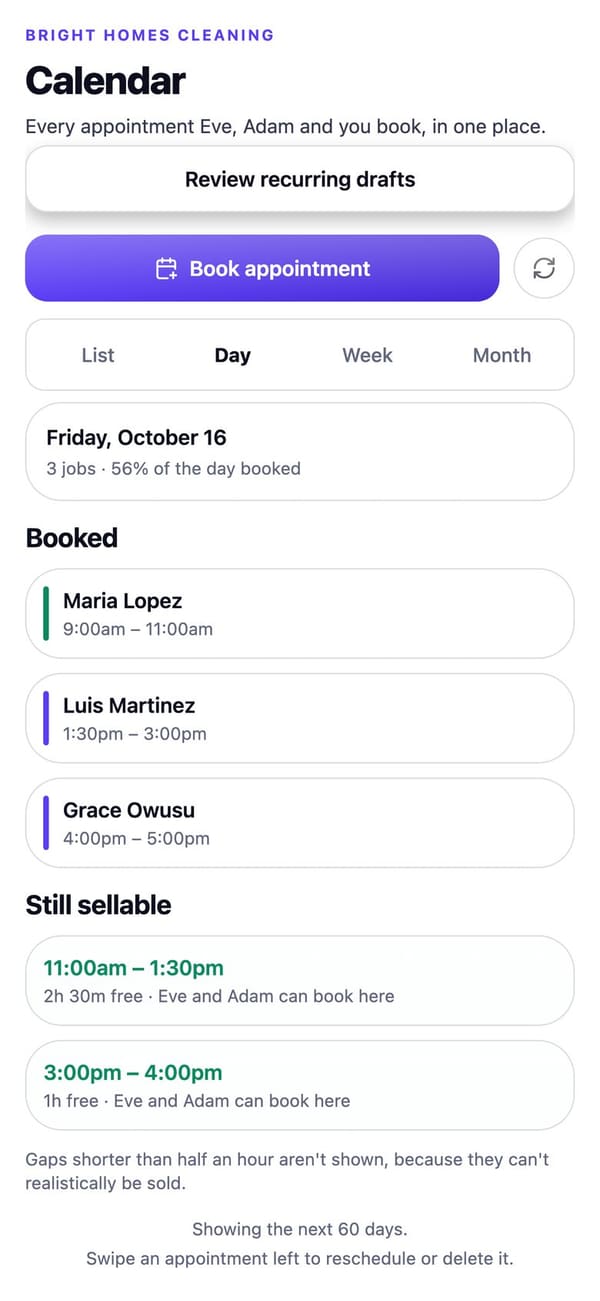
What needs you, what's coming up, your latest calls and quick actions, on one screen.
Customers, calendar, quotes, invoices and payments, expenses, your team and the follow-ups that bring customers back, in the same app that handles your calls.

For Android phones and tablets. The iPhone and iPad version isn’t on the App Store yet.
Real RaimCalls screens with a made-up sample business. Your screens show your own business, and layouts can differ slightly between app versions.
Your day
What needs you, what's coming up, your latest calls and quick actions, on one screen.
Day, week and month views, repeat bookings and appointment reminders customers can answer with C to confirm or R to reschedule.
Keep your bookings in a RaimCalls calendar on your phone or tablet, following every move.
Choose which events notify you, and set quiet hours.
Customers
Customer cards with history, notes and tags. Select several at once to text, email, tag or mark Do Not Contact, with a preview of who gets it.
Learn more about CustomersPick the contacts you want to add to Customers. Nothing is imported automatically.
Learn more about Import from your contactsNew callers your AI took that nobody has booked yet, ready to call or text.
Learn more about Leads to chaseOne text to customers you haven't seen in a while, or to everyone.
Learn more about Campaigns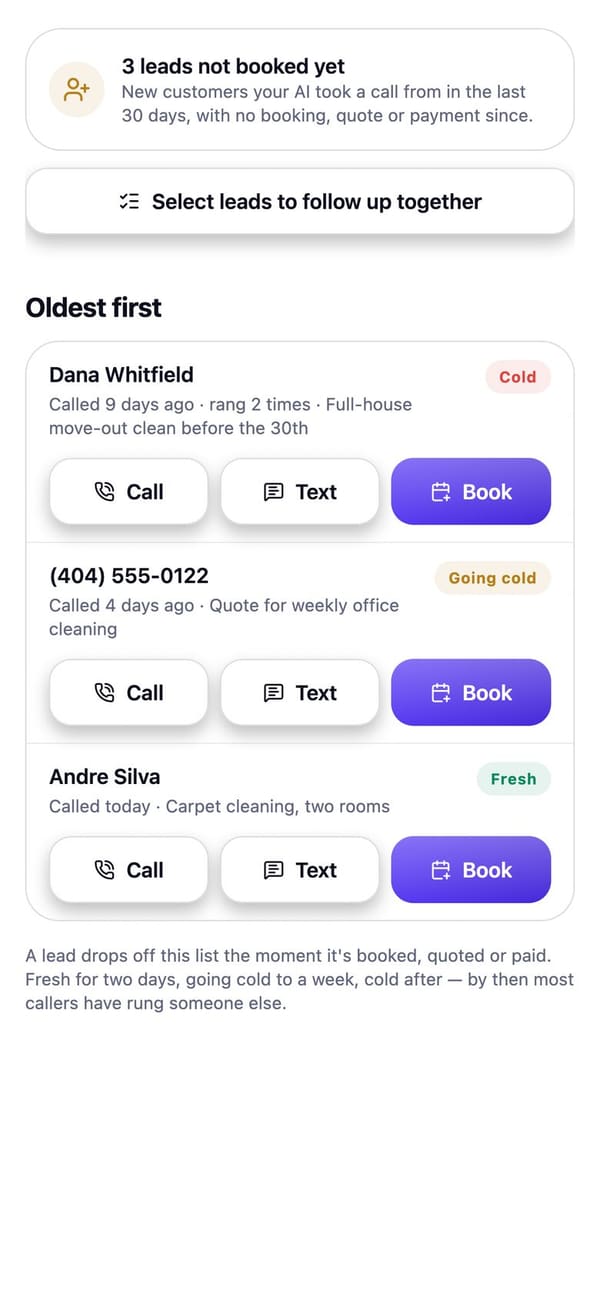
Real RaimCalls screens with a made-up sample business. Your screens show your own business, and layouts can differ slightly between app versions.
Money
See who said yes, who is still deciding and what to chase. Speak a job to build a quote priced only from your own services and prices.
Learn more about QuotesBill a customer, email the invoice and record what's paid.
Learn more about InvoicesFriendly reminder texts for unpaid invoices on the due date and 3, 7 and 14 days after, stopping the moment it's paid.
Learn more about Payment remindersConnect Stripe to take payments and send payment links.
Learn more about Get paid with StripeAdd your own bank, mobile money or payment link and share it with a customer. You mark it paid when the money arrives.
Learn more about Pay cardText a customer that you're on the way with the minutes you type, that you're running late, or that you're done. RaimCalls doesn't read your location.
Learn more about On my way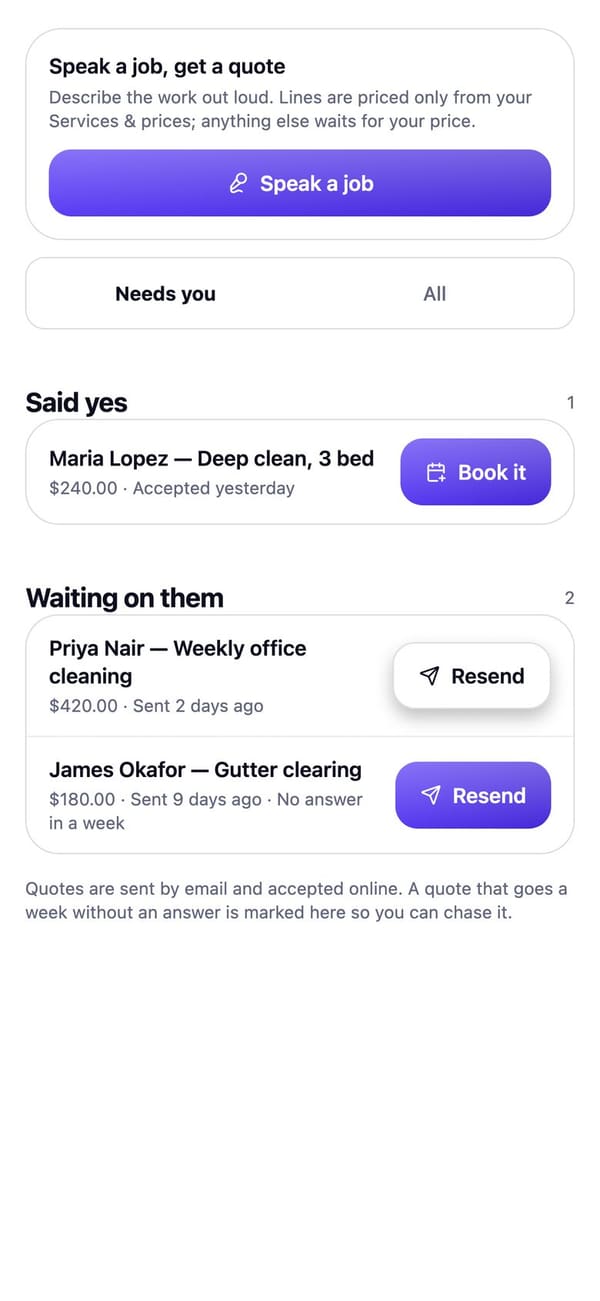
Real RaimCalls screens with a made-up sample business. Your screens show your own business, and layouts can differ slightly between app versions.
Keep customers
Every automation starts off. Texts go only to customers who agreed to them, never between 9 pm and 8 am where they are, and STOP always works.
Appointment reminders, booking confirmations, instant replies to new leads, lead follow-ups, review requests, no-show rebooking, payment receipts and win-back texts. Every automation starts off.
Learn more about Keep customersAfter a visit you mark completed, customers who agreed to texts are asked how it went, with your Google review link. Everyone gets the link; a 1 to 3 is also asked privately what went wrong.
Learn more about Review autopilotA 0 to 10 “how likely are you to recommend us?” text after visits, with your score on Today.
Learn more about Customer surveySet how often each service is due. Customers who are due and have nothing booked get one reminder.
Learn more about Recall remindersSee what customers said and which reviews are waiting on a reply. Your assistant can draft a reply; replies are saved in RaimCalls.
Learn more about ReviewsTeam and jobs
Add the people who do the work. They see only the jobs you assign them, with the checklist and photos, never phone numbers, messages, calls or billing.
Learn more about Team loginsTake a photo or choose one and attach it to a customer's job. Photos stay private to your business.
Learn more about Job photosStart from a template for a salon, clinic scheduling, trades, school fees, church and events, or delivery. You choose what's saved.
Expenses
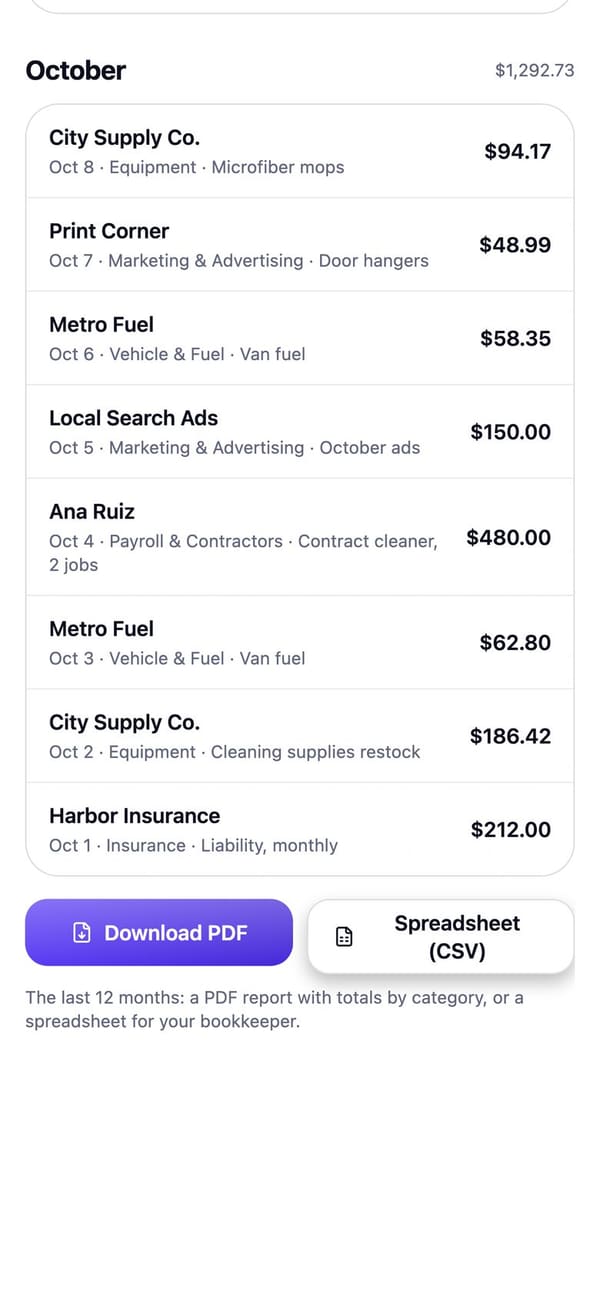
Snap a receipt and it's read for you. Expenses are grouped by month and category; share a CSV, or a PDF report for your bookkeeper.
Real RaimCalls screens with a made-up sample business. Your screens show your own business, and layouts can differ slightly between app versions.
Connect
Send calls, missed calls, texts, bookings, new leads and payments to Zapier, your CRM or your own server, signed with your own secret.
Learn more about WebhooksLet Zapier, Make or your own tools read your calls, texts, appointments and customers, and add customers.
Learn more about API keysBuilt for iPhone, iPad and Android phones and tablets, with a side rail on iPad and tablets.
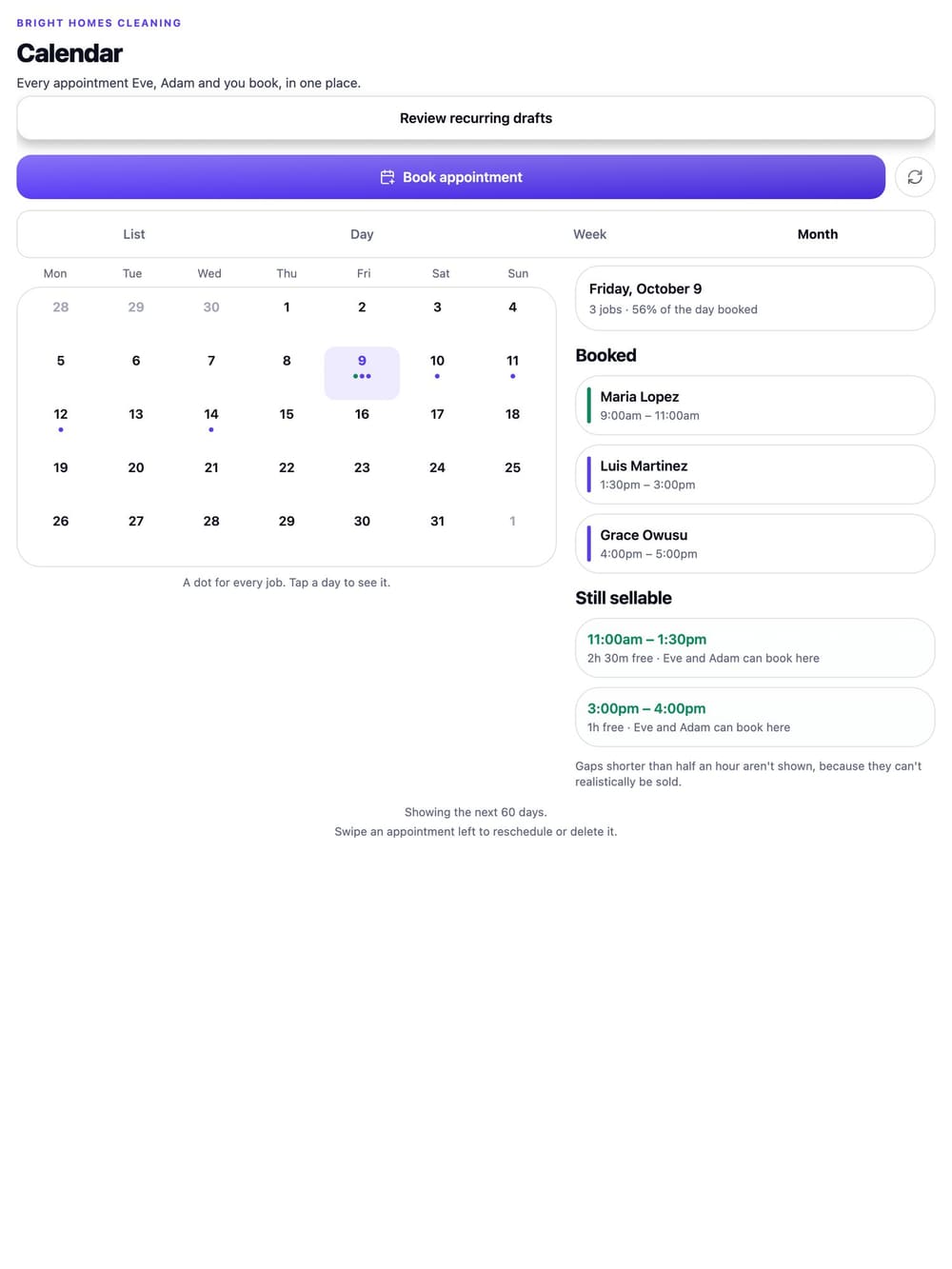
Real RaimCalls screens with a made-up sample business. Your screens show your own business, and layouts can differ slightly between app versions.
Tools
Bill, email, chase kindly, get paid.
See how it worksStripe links, deposits and your own pay card.
See how it worksSpeak a job, get a quote priced from your list.
See how it worksAsk every customer, hear the unhappy ones privately.
See how it works"Time for your next visit", sent once.
See how it worksCards, history, tags and leads to chase.
See how it worksTeam logins, job photos, On my way.
See how it worksSnap a receipt, share a report.
See how it worksZapier, Make, your CRM or your own server.
See how it worksFAQ
Yes. When appointment reminders are on, each reminder ends “Reply C to confirm or R to reschedule.” A C marks the appointment confirmed; an R tells them you'll help find a new time and notifies you.
Yes. Create an invoice and email it. With reminder texts on, customers who agreed to texts get a friendly reminder on the due date, then 3, 7 and 14 days after, and reminders stop as soon as it's paid.
After a visit you mark completed, each customer who agreed to texts gets one text asking how it went, with your Google review link. Everyone gets the link, whatever they score. A 1 to 3 is also asked what went wrong, and that reply comes straight to you.
Yes. Add the people who do the work by email. They sign in and see only the jobs you assign them, with the checklist and photos, never phone numbers, messages, calls or billing.
Yes, with webhooks. Pick events like call ended, missed call, text received, appointment booked, new lead and payment received. Each request is signed with a secret so your server can check it came from RaimCalls, and call events never include the transcript.
Yes, with an API key. Paste it into Zapier, Make or your own script to read your calls (summary and outcome, never the transcript), texts, appointments and customers, and to add a customer. You can have up to three keys and revoke any of them.
Add an expense or take a photo of a receipt and it's read for you. Expenses are grouped by month and category, and you can share them as a CSV. RaimCalls doesn't give tax advice: ask your accountant what you can claim.

The future picks up.
Let your AI take the calls you'd rather not make, while your business line, your admin and your people stay one tap away.
For Android phones and tablets. The iPhone and iPad version isn’t on the App Store yet.
Plans from $9.99 a month. Answering an app call is always free. See plans and pricing.