
Ask your assistant
Chat or talk with RaimCalls Assistant. Ask “What is my business missing?” and it checks your calls, leads, quotes and money and gives you the top three moves.
Chat or talk with RaimCalls Assistant. Ask "What is my business missing?" and it checks your calls, leads, quotes and money and gives you the top three moves. It writes to-dos the way you'd say them, drafts emails, and changes nothing until you say yes.

For Android phones and tablets. The iPhone and iPad version isn’t on the App Store yet.
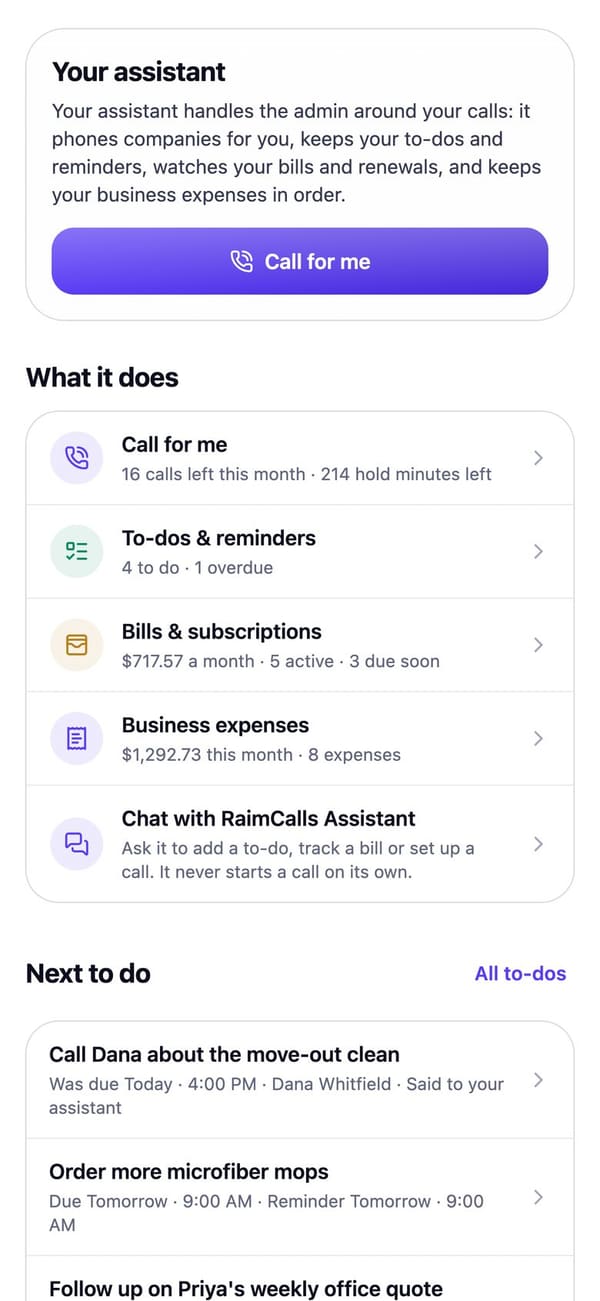
Real RaimCalls screens with a made-up sample business. Your screens show your own business, and layouts can differ slightly between app versions.
How it works
In text or by voice: what's due, who to call back, what you spent on fuel this month.
To move or cancel an appointment, or change a customer's phone or email, it shows you the exact change with Yes and No first.
A daily briefing arrives in your notifications, and you can listen to it read aloud.
What you get
Chat or talk with RaimCalls Assistant. Ask “What is my business missing?” and it checks your calls, leads, quotes and money and gives you the top three moves.
Your assistant can move or cancel an appointment, or change a customer's phone or email, but it shows you the exact change with Yes and No first. Nothing happens until you say yes.
A daily briefing in your notifications, and you can listen to it read aloud.
Type a to-do the way you'd say it and check the date before it's saved. Action items from your calls are suggested, and nothing is added until you accept it.
Your assistant writes a follow-up email from a call's result. You check it and send it from your own mail app; RaimCalls never sends it.
Learn more about Draft an email from a call"Add a $42 lunch with a client today" or "What did I spend on fuel this month?" Your assistant can add, find, edit and add up your expenses.
Ground rules
Plans
Included in every plan, including Personal at $9.99 a month.
| Plan | Personal | Foundation | Rise | Reign | Legacy |
|---|---|---|---|---|---|
| Price a month | $9.99 | $17.99 | $43.99 | $87.99 | $169.99 |
| Assistant messages a month | 20 | 20 | 50 | 120 | 250 |
FAQ
About your calls, customers, money and to-dos, in text or by voice. Ask "What is my business missing?" and it checks your calls, leads, quotes and money and gives you the top three moves.
It can move or cancel an appointment, or change a customer's phone or email, but it shows you the exact change with Yes and No first. Nothing happens until you say yes.
Type a to-do the way you'd say it, like "Call Sam about the boiler tomorrow at 9". The date and time are filled in for you to check before it's saved. Action items from your calls are suggested, and nothing is added until you accept it.
Your voice, photos and drafts are sent to OpenAI only after you allow it in the app, and you can withdraw that any time in Settings, Privacy & consent.

The future picks up.
Let your AI take the calls you'd rather not make, while your business line, your admin and your people stay one tap away.
For Android phones and tablets. The iPhone and iPad version isn’t on the App Store yet.
Plans from $9.99 a month. Answering an app call is always free. See plans and pricing.