
Team logins
Add the people who do the work. They see only the jobs you assign them, with the checklist and photos, never phone numbers, messages, calls or billing.
Add the people who do the work by email. They sign in and see only the jobs you assign them, with the checklist and photos, never phone numbers, messages, calls or billing. From a job they can text the customer On my way, Running late or Done.
For Android phones and tablets. The iPhone and iPad version isn’t on the App Store yet.
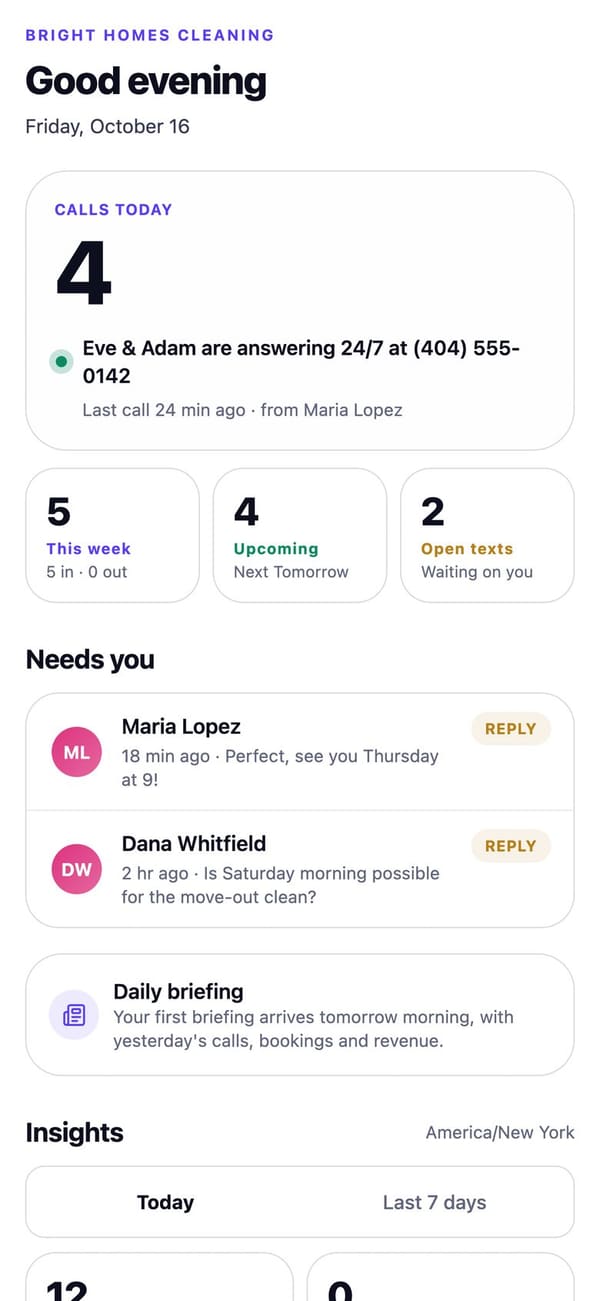
Real RaimCalls screens with a made-up sample business. Your screens show your own business, and layouts can differ slightly between app versions.
How it works
In Settings, Team, add the people who do the work by email.
They see only the jobs you assign, with the checklist and photos.
On my way texts the minutes they type; Running late and Done work the same way, and Done can add the open invoice link.
What you get
Add the people who do the work. They see only the jobs you assign them, with the checklist and photos, never phone numbers, messages, calls or billing.
Take a photo or choose one and attach it to a customer's job. Photos stay private to your business.
Text a customer that you're on the way with the minutes you type, that you're running late, or that you're done. RaimCalls doesn't read your location.
Team members never see phone numbers, messages, calls or billing.
Ground rules
Plans
Team logins are for the business plans, Foundation and up. Personal has no team.
FAQ
Yes. Add the people who do the work by email. They sign in and see only the jobs you assign them, with the checklist and photos, never phone numbers, messages, calls or billing.
Open the appointment in Calendar, type how many minutes away you are, and tap On my way. Running late and Done work the same way. A team member sees the same buttons on a job you assigned them.
No. RaimCalls doesn't read your location: only the minutes you type are sent.

The future picks up.
Let your AI take the calls you'd rather not make, while your business line, your admin and your people stay one tap away.
For Android phones and tablets. The iPhone and iPad version isn’t on the App Store yet.
Plans from $9.99 a month. Answering an app call is always free. See plans and pricing.