
Business expenses
Snap a receipt and it's read for you. Expenses are grouped by month and category; share a CSV, or a PDF report for your bookkeeper.
Add an expense or take a photo of a receipt and it's read for you; check anything marked Check this. Expenses are grouped by month and category, and you can share a CSV or a PDF report with totals by category for your bookkeeper.

For Android phones and tablets. The iPhone and iPad version isn’t on the App Store yet.
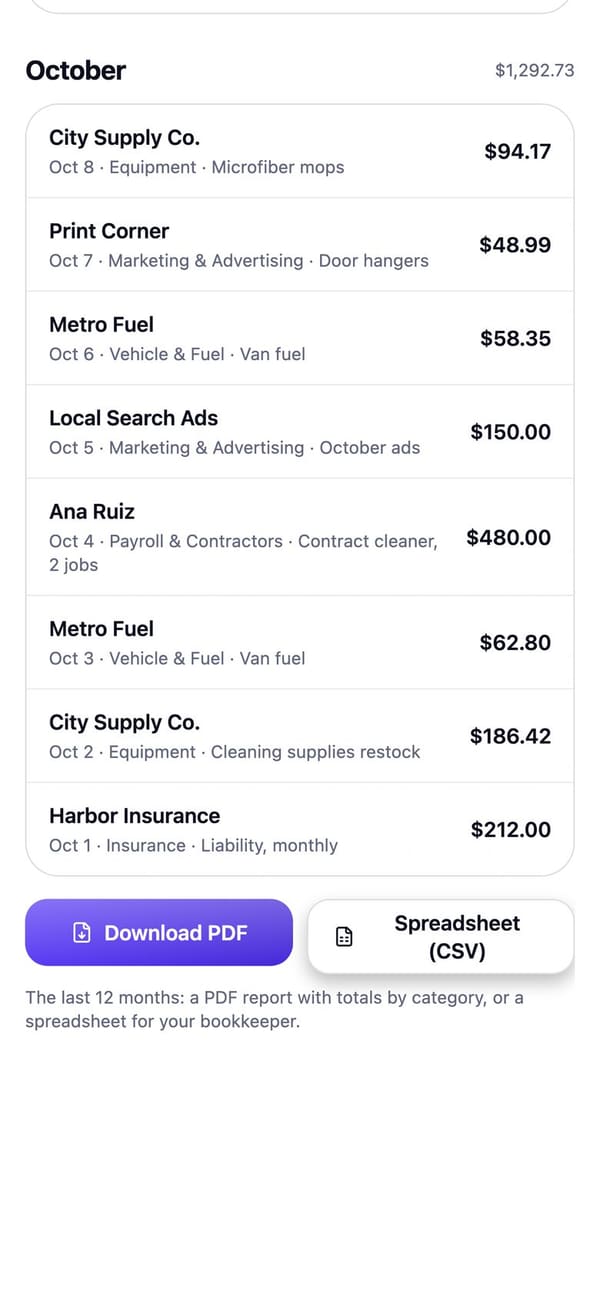
Real RaimCalls screens with a made-up sample business. Your screens show your own business, and layouts can differ slightly between app versions.
How it works
Take a photo and it's read for you. Anything unclear is marked Check this.
"What did I spend on fuel this month?" Your assistant can add, find, edit and add up expenses.
Share a CSV, or a PDF report with totals by category.
What you get
Snap a receipt and it's read for you. Expenses are grouped by month and category; share a CSV, or a PDF report for your bookkeeper.
Track what you pay on a cycle, by hand or from a photo of a bill: monthly and yearly totals, what's due in the next two weeks, and a reminder before each due date.
Learn more about Bills and subscriptionsGround rules
Plans
Included in every plan, including Personal at $9.99 a month.
| Plan | Personal | Foundation | Rise | Reign | Legacy |
|---|---|---|---|---|---|
| Price a month | $9.99 | $17.99 | $43.99 | $87.99 | $169.99 |
| Assistant messages a month | 20 | 20 | 50 | 120 | 250 |
Keep going
Chat or talk: to-dos, briefings, answers.
See how it worksBill, email, chase kindly, get paid.
See how it worksFAQ
Add an expense or take a photo of a receipt and it's read for you; check anything marked Check this. Expenses are grouped by month and category, and you can share them as a CSV.
Yes: a PDF report with totals by category, or a spreadsheet (CSV).
No. Ask your accountant what you can claim.

The future picks up.
Let your AI take the calls you'd rather not make, while your business line, your admin and your people stay one tap away.
For Android phones and tablets. The iPhone and iPad version isn’t on the App Store yet.
Plans from $9.99 a month. Answering an app call is always free. See plans and pricing.